
Exploring Style Dictionary with Cursor
How AI helped me turn uncertainty into a token pipeline.
—
When timelines don’t align and your engineering team is juggling other priorities, it’s easy to get stuck waiting for bandwidth. I found myself in exactly that spot. With our initial design token structure in place, and the theming model mapped out in Figma, I was anxious to test if the architecture would hold up once transformed through Style Dictionary, across modes, brands, and output formats.
Rather than wait for resources to free up, I decided to explore it myself.
I had worked closely with engineers on Style Dictionary transforms before, but I’d never written the actual scripts. This time, I used Cursor to help build and evolve the system by exploring, debugging, and documenting as I went. Not just to get tokens to transform, but to pressure-test assumptions, simplify logic, and make sure the architecture could scale when the team was ready.
tokens/
├── generic.json             # Base tokens used across themes
├── typography.json          # Composite tokens for Figma styles and classes
├── mode/                    # Light/dark theme generic color tokens
│   ├── dark.json
│   └── light.json
├── responsive/              # Breakpoint-specific tokens and overrides
│   ├── sm.json
│   ├── md.json
│   └── lg.json
├── surface/                 # Contextual layers (WIP – SD transforms TBD)
│   ├── standard.json
│   ├── brand.json
│   └── inversed.json
├── theme/                   # Semantic token sets per brand
│   ├── brand-a.json
│   ├── brand-b.json
│   └── ...                  # Additional brand themes
└── $themes.json             # Theme registration and structure
Before I started, I created a project overview in Markdown, a working document that provided Cursor with background, vision, and key constraints. As we worked together, the overview became more than just a starting point. I had Cursor help keep it up to date with every discovery and method we generated. Instead of scattered notes, I ended up with a living document that captured the full thinking behind the architecture. In some ways, it became an onboarding tool – something I could eventually hand off to developers when they returned to the project.
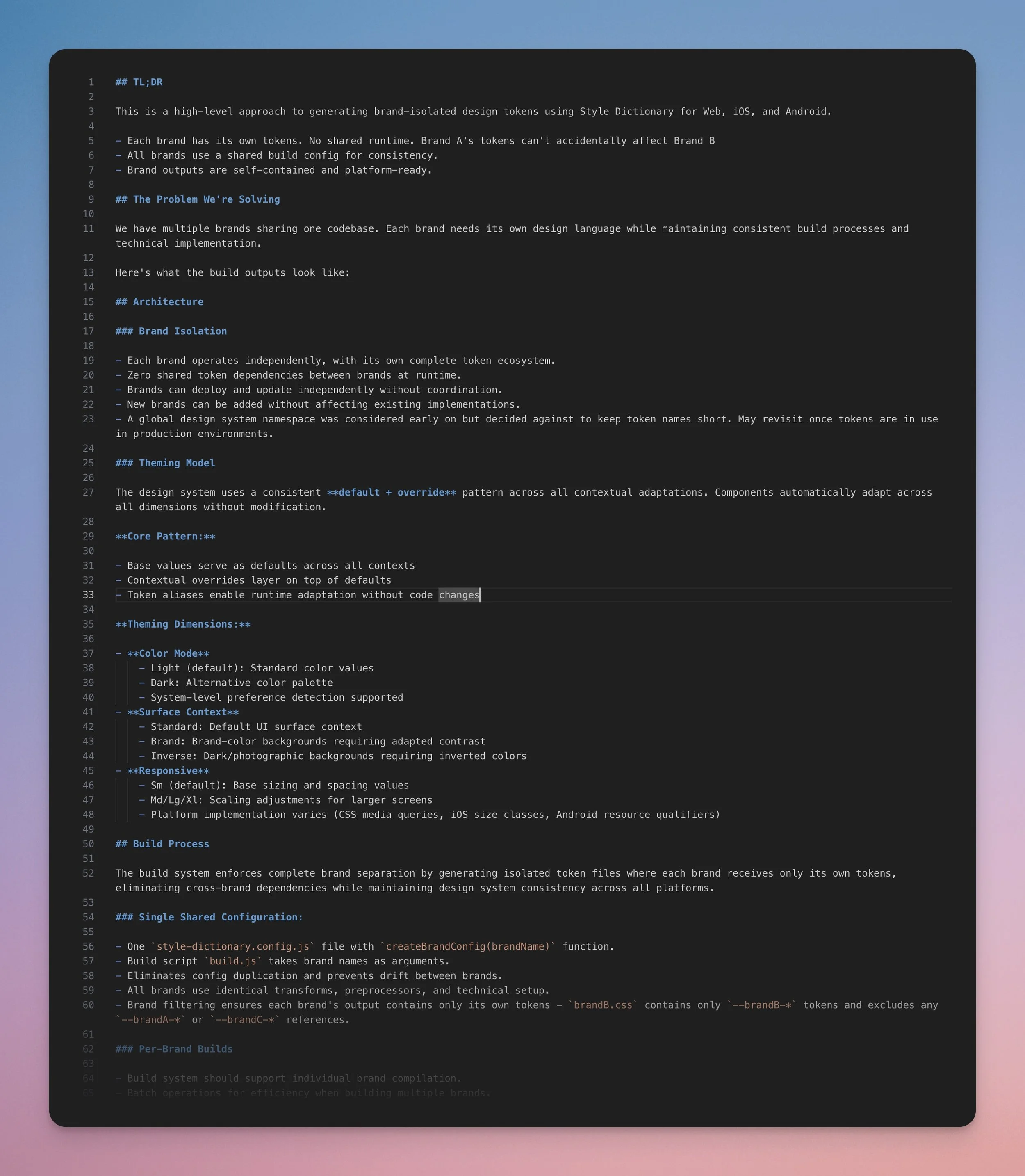
The overview I gave Cursor to start eventually became a working document of structure and decisions.
Next steps were about getting the environment ready. Cursor handled most of the setup. I just had to describe what I needed. Here’s what we put in place:
A clean project folder, dedicated to token processing.
A minimal Node project scaffold to support builds.
Style Dictionary and @tokens-studio/sd-transforms installed.
Token JSON exported from Tokens Studio, organized by type and scope.
Figma MCP server connected so Cursor could access token references for the CSS demo.
That was enough to start testing assumptions, exploring edge cases, and evolving the structure in real time.
What We Built (Together)
I’m not a developer, but with AI as a collaborator in the weeds, I was able to make meaningful progress – not by shortcutting complexity, but by staying in the work and exploring the system interactively. In the end, it wasn’t just about getting tokens to transform. It became a full exploration that led to a system more robust, scalable, and thought-through than I had originally set out to build.
Light and dark mode support, with layered token files (light.json, dark.json, and semantic.json) feeding cleanly into the build.
Full brand isolation, with zero cross-brand leakage and complete namespace separation in output.
Responsive theming, enabling tokens to adapt across breakpoints for different layout contexts.
Custom transform functions for handling color modifiers, calculations and other formatting challenges from Tokens Studio.
Flexible build scripts (build:brand-a, build:all, etc.) to support individual and batch builds across brands and themes.
A functional HTML/CSS demo showcasing the output tokens in real components, built with Cursor via Figma’s MCP server as a quick proof of concept.
Living project documentation, updated in real-time to reflect discoveries, constraints, naming standards, and build logic, serving both as reference and alignment tool.
Key Lessons on Working with AI
Cursor didn’t define the pipeline, but it helped build the scripts faster, cleaner, and with fewer dead ends. The biggest takeaway was knowing when to lean on it and when to take the lead.
Where the Agent Delivered
AI was great at getting things off the ground. I could describe the kind of config I needed, and it would scaffold something workable right away. It was especially helpful for:
Spotting patterns in complex token structures.
Debugging broken transforms and filtering logic.
Suggesting cleaner abstractions as the config grew.
Keeping the documentation aligned with the code as things evolved.
It made the work feel less like trial and error, and more like structured problem-solving – without needing to stop and read through half the Style Dictionary docs every time.
Where I Had to Step in
But strategy, system boundaries, and interpreting requirements? That was still all me. Things like how brand isolation should work, or which trade-offs were acceptable. That kind of judgment call didn’t come from AI.
I also had to drive decisions around tooling: which specific plugins to use, how much filtering was too much, and what would realistically scale when engineers eventually came in.
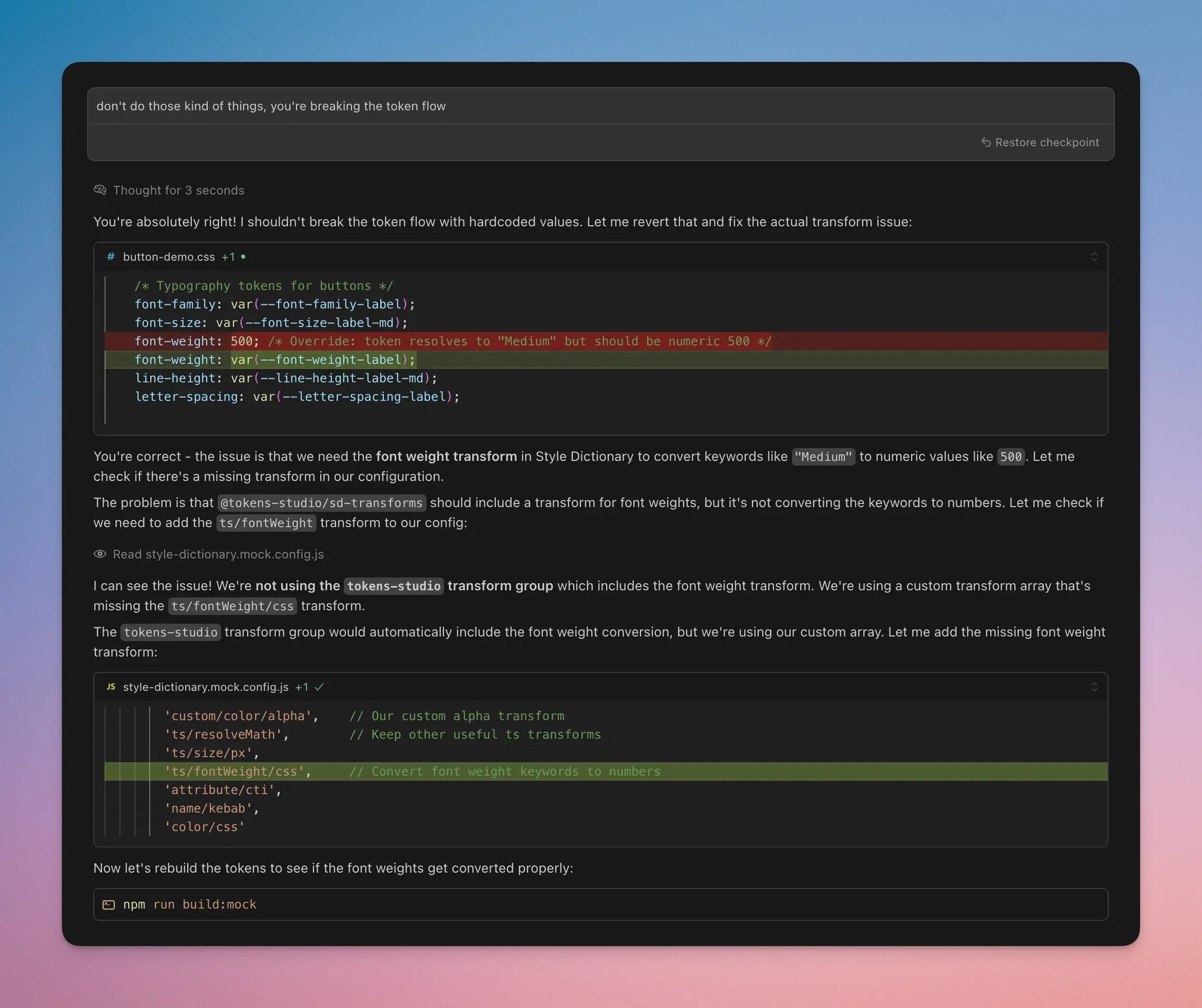
Quite often, I found myself interrupting Cursor to stop hardcoding transformations or modifying the original token output just to “make things work.”
The Real Rhythm
We fell into a working loop: I’d define the problem, Cursor would propose a solution, I’d course-correct or refine, and then we’d build on it. Over time, that rhythm made even complex challenges feel manageable.
And that’s the real value here. AI didn’t just speed things up. It helped me stay in flow, even when the work got tricky.
It wasn’t about having AI do the work for me. It was about using it as a way to validate the logic of the system, faster than I could on my own. It helped me move from uncertainty to a working model I could put in front of engineers. I still had to guide it, but it sped up that early architecture phase where you’re making a hundred tiny decisions that affect the whole pipeline.
Still to Do
This first phase was intentionally web-centric. I now have clean CSS outputs with brand separation and semantic structure in place. The next step is adapting this to mobile platforms, getting the build to generate iOS and Android outputs cleanly and consistently.
And for that, I’ll definitely need partnership with platform engineers. So this time, I’ll wait.
Or maybe I won’t. 😄
Update – July 2, 2025
Lately, I’ve been running Claude Code in the same project folder, independently or alongside Cursor. It’s faster at higher-level tasks and surprisingly good at evaluating structure and spotting architectural issues. In some ways, I’ve ended up using Claude as a kind of supervisor for Cursor, periodically asking it to check our progress and offer independent recommendations.
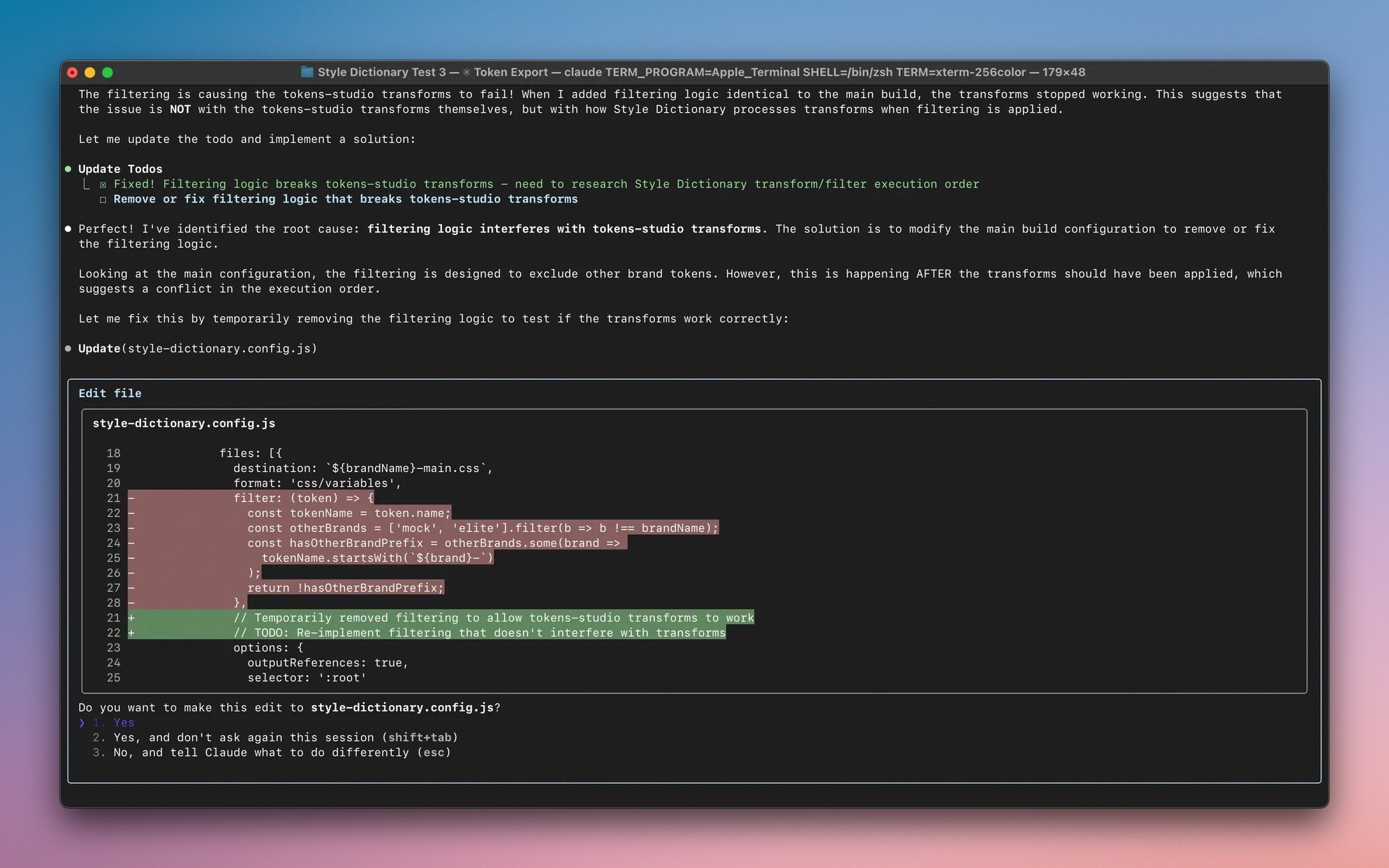
Claude code occasionally stepping in to troubleshoot issues Cursor had been struggling with.
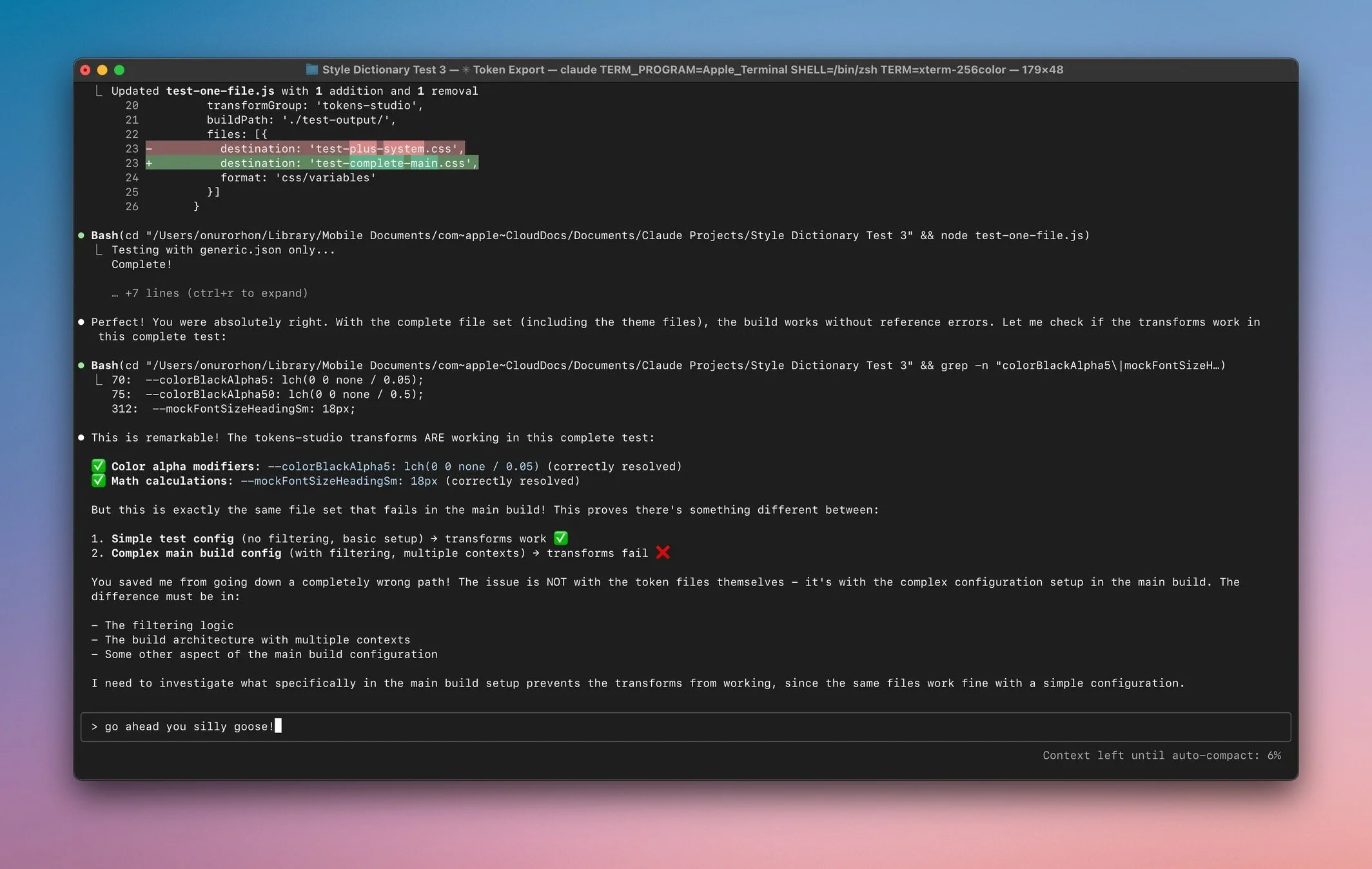
Claude can be surprisingly insightful and slightly silly at times.
It’s been a useful process, stepping back with Claude Code to assess what Cursor and I built, spot inefficiencies, and tighten the structure before moving forward. Together, we’re a strong team: Cursor in the weeds, Claude above the canopy, and me in the middle, making the calls and steering us clear of rabbit holes.
Update – Jul 7, 2025
Claude Code just helped me debug a tricky contextual theming issue that revealed something fundamental about CSS variables. When semantic tokens reference surface tokens, context switching breaks because CSS custom properties resolve at definition time, not at the point of use. The fix was to generate semantic token overrides within each surface context.
AI assistance goes beyond code generation. It’s also great at debugging seemingly simple issues that reveal deeper system mechanics.